

Connect a wallet
To trade or stake, Taoswap needs a wallet to sign your transactions. You sign every transaction in that wallet. Your keys and your seed phrase never leave your device, and Taoswap never receives them.
You have two options:
- A browser extension wallet, the safest choice: its keys stay in the extension’s own sandbox.
- The built-in wallet, which keeps an encrypted seed phrase in your browser. Use it where extensions are not available, such as on a phone.
Supported wallets
Section titled “Supported wallets”Taoswap works with these Bittensor browser extensions: Talisman, Crucible, Polkadot.js, SubWallet, TaoStats and TAO.com.
Sign with a Ledger
Section titled “Sign with a Ledger”Taoswap has no direct hardware wallet connection: a Ledger signs through a browser extension that supports it, such as Talisman, SubWallet, Polkadot.js or Crucible.
-
With Ledger Live, install the Polkadot app on your Ledger.
-
Add your Ledger account to the extension, as the extension’s own guide describes.
-
Connect that extension to Taoswap, as described below, and choose the Ledger account.
-
For each signature, unlock the Ledger, open the Polkadot app and confirm on the device. Taoswap waits two minutes for each answer. In MEV Shield’s Self-Custody mode, a swap asks for two confirmations.
The built-in wallet cannot sign with a Ledger.
Connect a browser extension
Section titled “Connect a browser extension”-
Install the extension, and create or import your account in it. If Taoswap was already open, reload the page.
-
Choose Connect Wallet in the header.
-
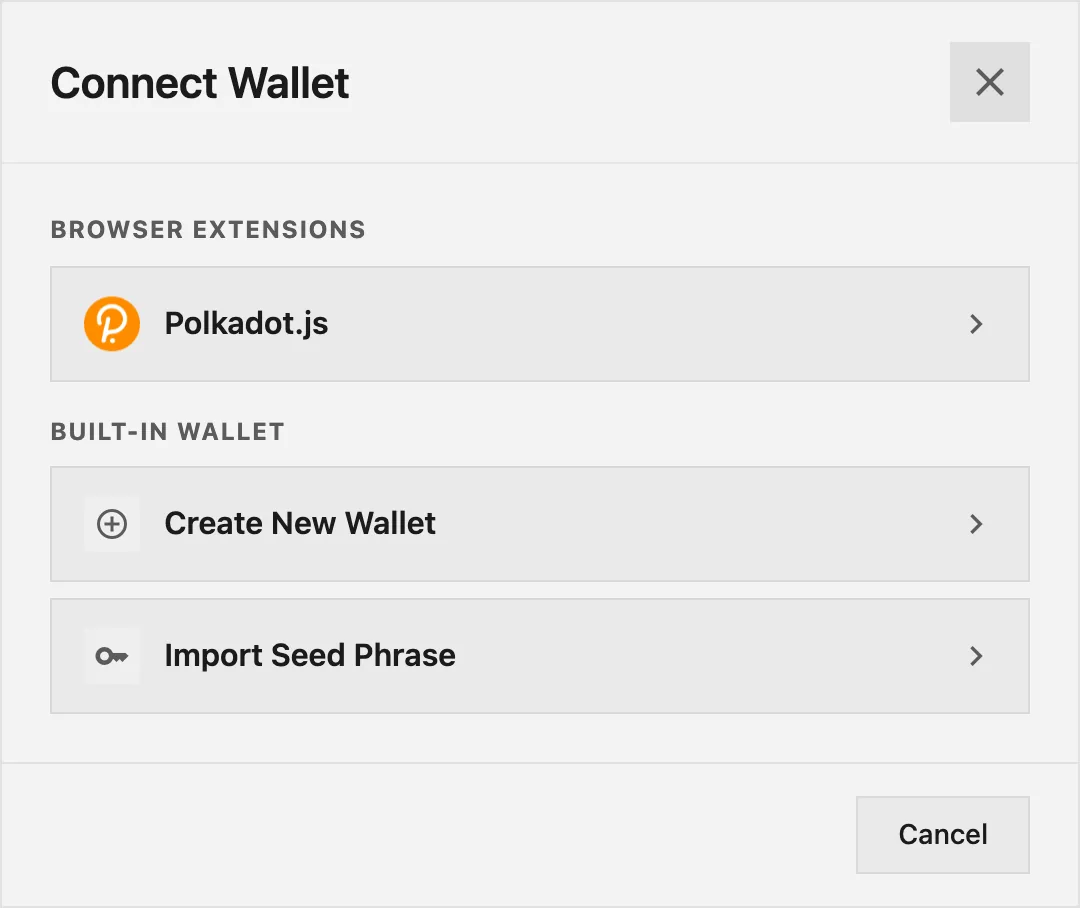
Pick your wallet in the dialog. A wallet that is not installed shows an Install link.
-
In the extension’s popup, allow the site, which the extension names Taoswap, and choose the accounts to share.
-
Your account appears in the header, and Taoswap loads its balances.
Taoswap lists Bittensor accounts only. If the extension shares none, for example because it only shares Ethereum accounts, nothing connects.
At your next visit, Taoswap reconnects the same wallet and account until you disconnect.
Switch account or disconnect
Section titled “Switch account or disconnect”Click your account in the header to open the account menu. Choose another account to make it active: the active account is the one that signs.
Disconnect ends the connection on Taoswap’s side. The extension keeps its own permission for the site, which you can remove in the extension. To use another extension, choose Disconnect, then Connect Wallet again.
Use the built-in wallet
Section titled “Use the built-in wallet”The built-in wallet encrypts its seed phrase with your password and stores it in this browser only. It does not benefit from the isolated sandbox of an extension.
Create a wallet
Section titled “Create a wallet”-
Choose Connect Wallet, then Create New Wallet under Built-in Wallet.
-
Make sure nobody can see your screen, then choose Reveal seed phrase. Write down the 24 words in order and keep them somewhere safe.
-
Tick I have saved my seed phrase in a safe place, then choose Next.
-
Type the words the app asks for, to prove your backup.
-
Name the wallet, set a password of at least 8 characters, confirm it, and choose Create Wallet.
Import a seed phrase
Section titled “Import a seed phrase”-
Choose Connect Wallet, then Import Seed Phrase.
-
Enter your 12 or 24-word seed phrase.
-
Choose the accounts to import. The Standard address is the one btcli, Talisman and other wallets show for this seed phrase. Show more accounts lists further derived accounts.
-
Set a password and choose Import Wallet.
Lock, unlock and approve
Section titled “Lock, unlock and approve”The wallet locks when you reload the page, when you choose Lock Wallet in the account menu, and on its own after a while. To unlock it, choose Unlock Wallet and enter your password.
Each signature opens an approval window in the page, titled Approve Transaction or Approve Signature. It decodes what you are about to sign. Check it, then choose Approve or Cancel.
Back up and reset
Section titled “Back up and reset”Export Seed Phrase in the account menu shows your words once you enter your password.
If you forget your password, Forgot password? Reset wallet in the unlock window deletes the wallet from this device. You can then import your seed phrase again. Clearing your browser’s data for taoswap.org deletes the wallet too, so keep your seed phrase.
On a phone
Section titled “On a phone”Browser extensions are not available on mobile, so the dialog offers the built-in wallet. If you browse inside a wallet app’s own browser, choose Using a dApp browser? Show extensions to see its extension.
To open Taoswap like an app, see Taoswap on your phone.
View an address without connecting
Section titled “View an address without connecting”You can follow any Bittensor address without a wallet. Open Portfolio, enter the address in the Enter wallet address field, and the app shows its holdings. Add to watchlist keeps it in this browser for later.
If your wallet does not connect, see My wallet won’t connect.